

Investigating how Linux works under the hood — a file-system-led exploration
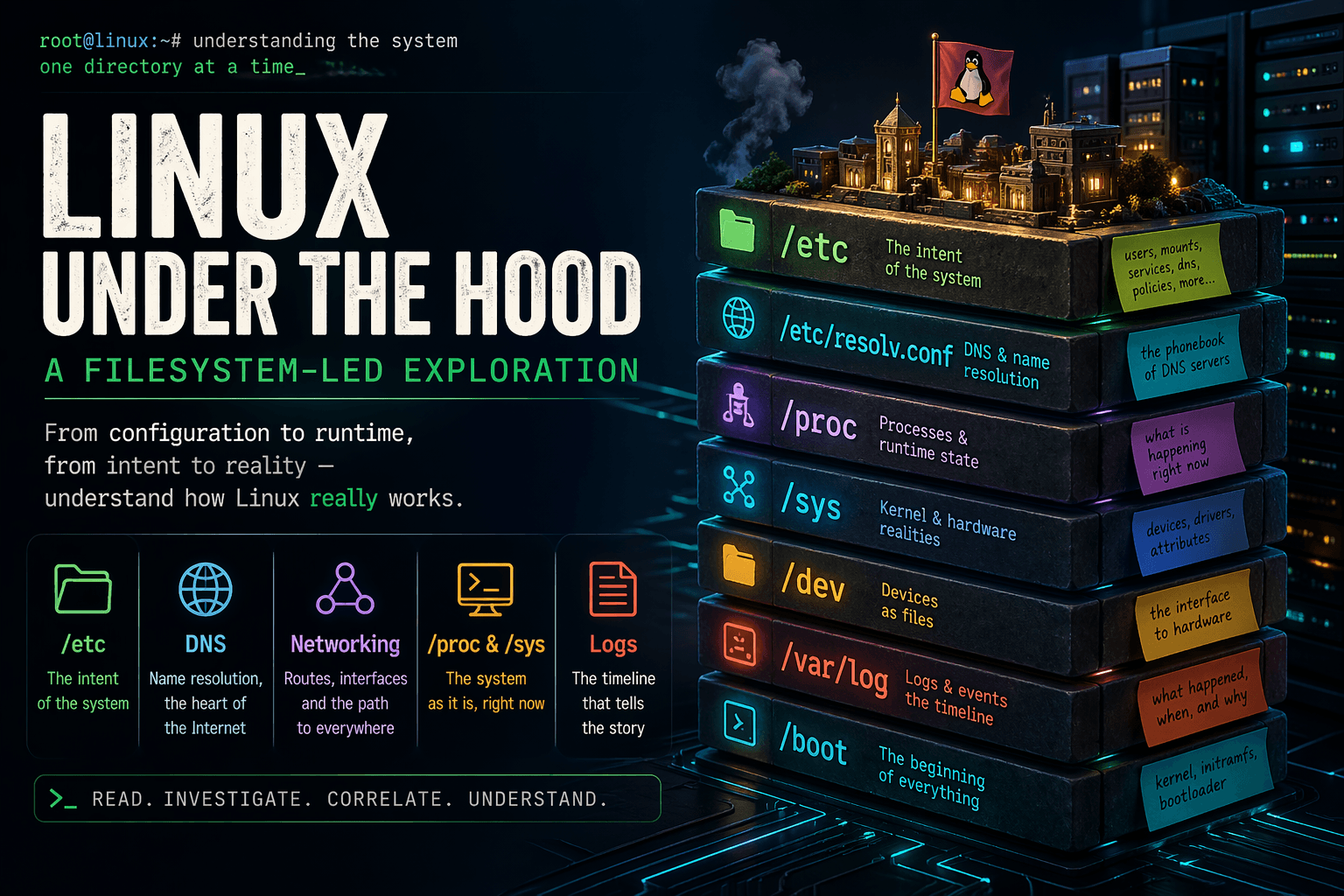
Linux is not a single monolithic black box that run on magic, Linux is a collection of independent and purposeful smaller systems moving in unison and appears like one unified structure.
To really understand Linux we need to look underneath the layers, at the heart of the Linux filesystem that is true flesh and bones of Linux.
Investigative study
- Linux file system is not just a random directory structure that we can traverse through blindly, every single part has it's purpose and importance , so the order matters.
/etc : the intent of the system
/etc is not just a directory it is the command center for the whole system, from turning the system on to running the processes every "how" lives inside here.
Users, passwords, mounts, hostname, DNS configuration, service behavior—all of it lives here. Files like /etc/passwd, /etc/fstab, /etc/hostname, /etc/resolv.conf define identity and expected behavior.
How to mount the filesystem while booting up? what are the network configurations? How the services should behave? what users exist on the system? You name it and it lives inside /etc/ . It's the backbone and nervous system of Linux.
DNS and name resolution:
Following up with the /etc/ directory, we reach very crucial part of the system, at the heart of the internet lies DNS lookup and resolution, fail here and your system is isolated from the Internet.
When a program asks for a hostname, the system does not immediately query DNS. It follows a resolution order defined in /etc/nsswitch.conf: check local files, then DNS, maybe LDAP or other sources.
Inside /etc lives files like resolv.conf that is phonebook for DNS servers. without it you have no destination or address for your target. /etc/resolv.conf does not always point directly to real DNS servers—it is often a stub managed by something like systemd-resolved, acting as a local intermediary.
Name resolution is not optional it's what runs the Internet. Without it Servers are just isolated boxes with no real use.
Networking and routing
If name resolution tells you where to go ip routes (also available as a command) tells your system how to go there.. It's like a map that your system uses send data to the destination in the correct path.
Routing is not just one time address detection like DNS resolution, configuration in /etc or network managers may claim a route exists, but DHCP clients, VPNs, or container systems can overwrite it dynamically.
If something behaves unpredictably, the kernel table is the only reliable source.
/proc : the system as it is now
/proc is the live view of the system. It does not describe what should happen, it shows what is happening.
Every process has a directory under /proc that exposes its state. You can inspect the exact command it was launched with, its environment variables, the files and sockets it has open, and its memory usage. This is direct access to runtime behavior.
If a process is behaving incorrectly, /proc shows you why. You can see what resources it holds, what files it is interacting with, and what its execution context looks like.
Beyond per-process data, /proc also exposes kernel-level configuration through entries like /proc/sys. These values directly control system behavior at runtime, from networking parameters to memory management.
This is where assumptions get validated or disproven. It is the closest view to the actual system state.
/dev and /sys
/dev presents devices as files, but it is not where devices are defined. It is an interface layer.
The real source of truth is /sys, where the kernel exposes hardware and driver state. Devices are detected by the kernel, described in /sys, and then user-space tools dynamically create corresponding nodes in /dev.
This means device names in /dev are not guaranteed to be stable. They can change across boots unless persistent identifiers like UUIDs are used.
If a device disappears, changes behavior, or fails, the explanation will not be in /dev. It will be in /sys, where the kernel tracks the actual hardware state.
Understanding this separation avoids misdiagnosing symptoms as causes.
/boot : where everything starts
Before the system reaches /etc or any runtime state, it must boot. /boot contains the kernel, the initramfs, and the bootloader configuration that define how the system starts.
This stage determines how hardware is initialized, how the root filesystem is located, and what early setup steps occur. The initramfs can mount filesystems, unlock encrypted disks, or configure networking before the main system even begins.
This means the behavior during early boot can differ from what is declared later in /etc. A system might mount a disk using a UUID during boot, even if /etc/fstab references a device name.
If something fails early or behaves inconsistently during startup, the root cause is almost always here, not in the later configuration.
Services and execution
Services are not simply executed, they are orchestrated.
System managers like systemd read configuration, resolve dependencies, and determine the order and conditions under which services run. Unit files define desired behavior, but overrides, dependencies, and runtime conditions define actual behavior.
A service starting late, failing, or behaving differently is often not an issue with the service itself. It is usually the result of dependency ordering, conflicting configurations, or environmental differences.
Logs: the sequence of events
Files show structure, logs show time. Without logs you only see the current state, with logs you understand how that state was reached.
Logs capture events across the system, kernel messages, service activity, hardware changes, and configuration updates. They reveal what changed, when it changed, and which component caused the change.
A configuration file alone cannot explain behavior. A log showing that a service rewrote that configuration minutes later can.
Understanding a system requires building a timeline. Logs are how you construct that timeline.
Users, permissions, and control
User definitions exist in /etc, but control is enforced through permissions and capabilities.
Files, processes, and services operate under specific privilege levels. Setuid binaries, file capabilities, and group memberships define what actions are allowed. Small misconfigurations in these areas can create large security risks.
Security is not a single setting, it is the interaction between identity, permissions, and execution context. To understand control, you must examine all three together.
Security in Linux is not just an add-on it is how the system "thinks" and operates. You touch only what you own .
Environment and execution context
Programs do not run in isolation, they inherit an environment.
Environment variables can come from shell configuration, system-wide defaults, or service definitions. A program started in a terminal may behave differently from the same program started as a system service because the environment is different.
Variables like PATH or LD_LIBRARY_PATH can change how binaries are located and executed. These differences are often the source of subtle bugs.
Same binary, different environment, different behavior.
The core principle and conclusion
Linux is not a single chunk of a system, it is a set of layers interacting through the filesystem.
To understand it, read what was intended in /etc, identify which component enforces that intent, verify what is actually happening through /proc and /sys, and confirm it with logs.
Most failures are not isolated issues, they are mismatches between layers.
The only reliable approach is to trace across them until intent, enforcement, trail and the reality align.




