

Template Literals in JavaScript
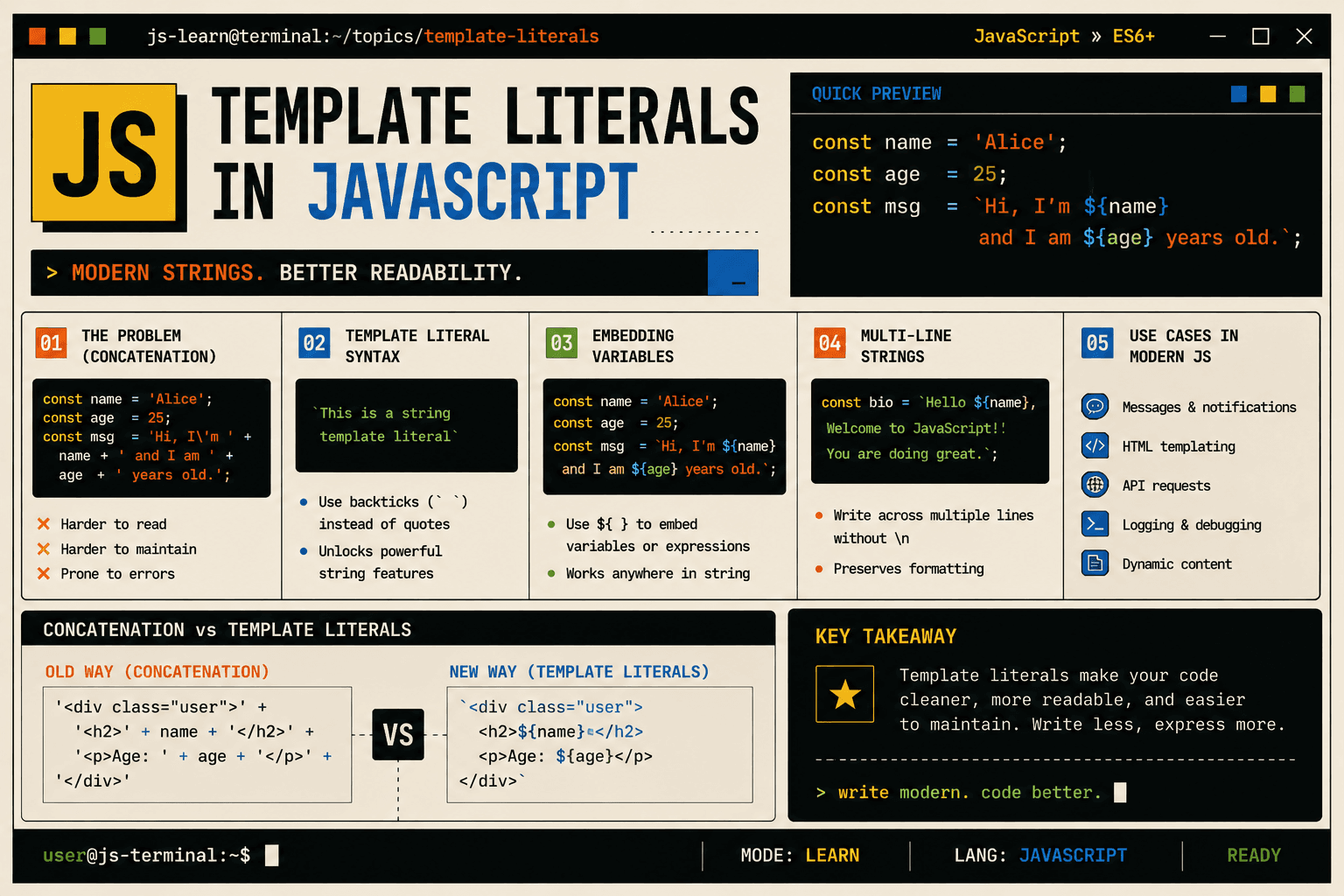
When writing JavaScript, one of the most common tasks is building strings. Whether you are displaying user information, generating messages, or constructing HTML, string manipulation happens everywhere.
For a long time, JavaScript relied on string concatenation using the + operator. It worked, but as applications grew more complex, that approach became harder to read and maintain.
Template literals were introduced to solve these readability and structure problems. Let us understand why they matter.
The Problem with Traditional String Concatenation
Before template literals, strings were combined using the + operator.
Simple Example
const name = "Alice";
const age = 25;

const message = "My name is " + name + " and I am " + age + " years old.";

console.log(message);
This works fine for short strings. But now imagine something slightly more complex.
const product = "Laptop";
const price = 900;

const output = "The product " + product + " costs $" + price +
               ". Please contact support if the price is incorrect.";

console.log(output);
Even here, readability starts decreasing.
Now imagine building a dynamic HTML structure:
const title = "Welcome";
const description = "This is a sample website.";

const html = "<div class='container'>" +
             "<h1>" + title + "</h1>" +
             "<p>" + description + "</p>" +
             "</div>";
At this point:
Quotes become messy
Concatenation symbols increase
The structure becomes harder to scan visually
It is easy to miss spaces or punctuation
This is where the transition shift happened in modern JavaScript.
The Transition Shift to Template Literals
Template literals were introduced in ES6 to make string creation cleaner and more readable.
Instead of single quotes ' ' or double quotes " ", template literals use backticks ` `.
This small syntax change creates a big improvement in readability.
Template Literal Syntax
Basic syntax:
const message = `This is a template literal`;
Backticks allow you to:
Embed variables directly inside strings
Create multi-line strings
Reduce string concatenation complexity
Embedding Variables in Strings
Instead of using + to concatenate variables, template literals allow you to embed expressions using ${}.
Let us rewrite the earlier example.
Old Way
const name = "Alice";
const age = 25;

const message = "My name is " + name + " and I am " + age + " years old.";
Modern Way
const name = "Alice";
const age = 25;

const message = `My name is \({name} and I am \){age} years old.`;

console.log(message);
Now the sentence reads naturally.
You can almost read it like plain English.
This improves:
Readability
Maintainability
Developer experience
Embedding Expressions
Template literals do not just insert variables. They can evaluate expressions.
const a = 5;
const b = 10;

const result = `The sum of \({a} and \){b} is ${a + b}.`;

console.log(result);
Here, ${a + b} calculates the value directly inside the string.
This eliminates the need for extra variables or manual concatenation.
Multi-Line Strings
Another major improvement is multi-line string support.
Before template literals, multi-line strings required special characters like \n.
Old Way
const message = "Hello\n" +
                "Welcome to the website\n" +
                "Enjoy your stay";

console.log(message);
Now compare it with template literals.
Modern Way
const message = `
Hello
Welcome to the website
Enjoy your stay
`;

console.log(message);
The formatting in the code matches the output.
This is especially useful for:
Email templates
HTML snippets
Large blocks of text
SQL queries
Practical Example: Dynamic HTML
Let us revisit the earlier HTML example.
Old Concatenation Approach
const title = "Welcome";
const description = "This is a sample website.";

const html = "<div class='container'>" +
             "<h1>" + title + "</h1>" +
             "<p>" + description + "</p>" +
             "</div>";
Using Template Literals
const title = "Welcome";
const description = "This is a sample website.";

const html = `
<div class="container">
  <h1>${title}</h1>
  <p>${description}</p>
</div>
`;

console.log(html);
Notice how:
The structure is visually clear
The indentation is preserved
Variables are inserted naturally
There is no clutter from
+operators
This is the readability improvement that modern JavaScript emphasizes.
Use Cases in Modern JavaScript
Template literals are commonly used for:
Dynamic UI messages
Logging information
Constructing URLs
Building HTML structures
Formatting output strings
Embedding calculated values directly
Example: Dynamic URL
const userId = 42;
const url = `https://api.example.com/users/${userId}`;

console.log(url);
Example: Conditional Output
const isMember = true;

const message = `User status: ${isMember ? "Member" : "Guest"}`;

console.log(message);
The ability to place logic directly inside ${} makes code shorter and clearer.
Comparing Old vs Modern Approach
| Feature | Traditional Concatenation | Template Literals |
|---|---|---|
| String Joining | Uses + operator |
Uses ${} inside backticks |
| Multi-line Support | Requires \n |
Natural multi-line formatting |
| Readability | Decreases with complexity | Improves with complexity |
| Expression Support | Limited and messy | Clean expression embedding |
As complexity increases, template literals become significantly cleaner.
Summary
Template literals represent a transition shift in how JavaScript handles strings. They move away from manual concatenation toward readable, structured, and expressive string construction.
They solve real problems:
Too many
+operatorsHard-to-read dynamic strings
Complex multi-line formatting
Poor visual structure
By using backticks and ${}, modern JavaScript code becomes cleaner, more maintainable, and easier to understand.
For dynamic string creation in modern JavaScript, template literals are the standard approach.




