

What is Node.js? JavaScript on the Server Explained
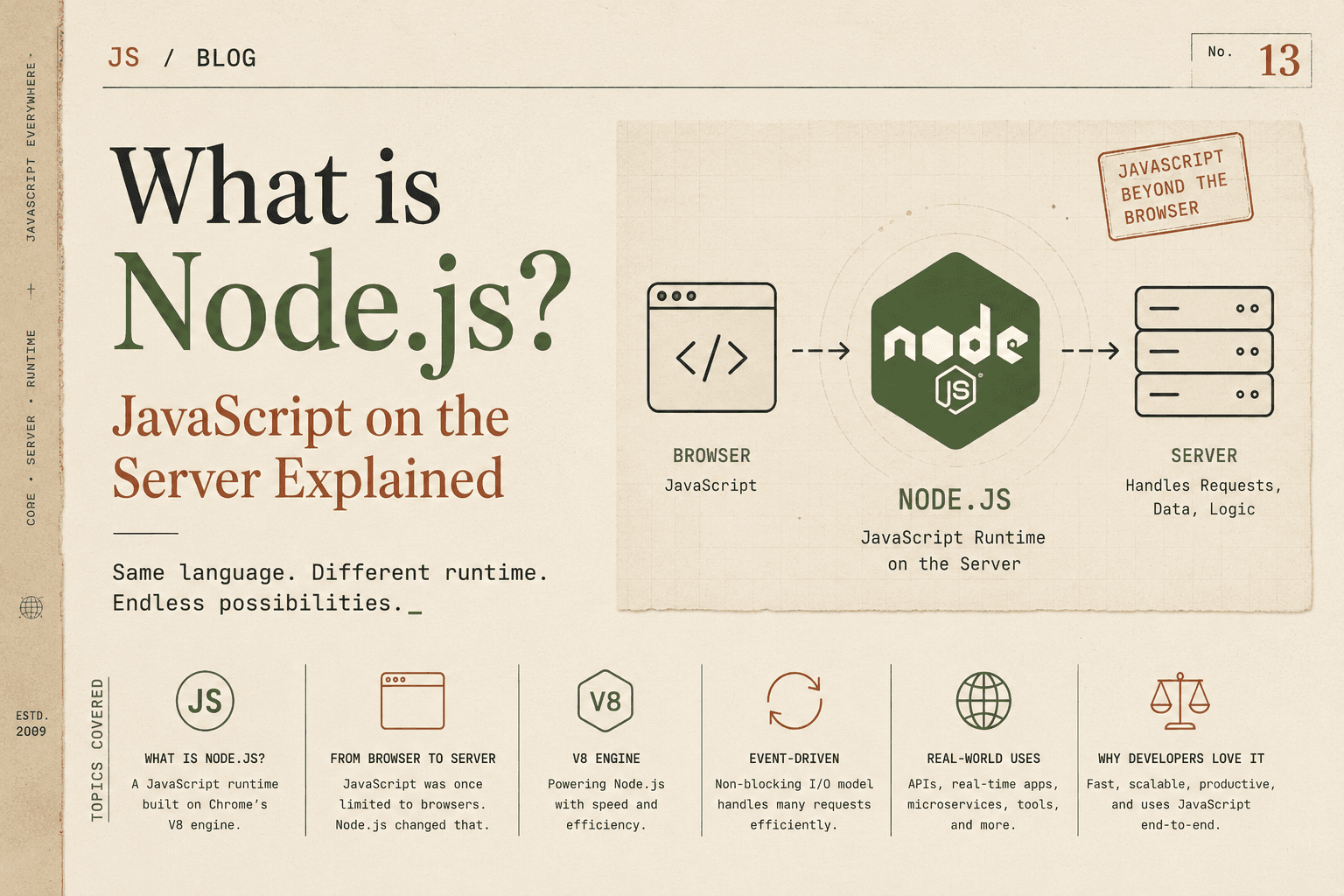
For a long time, JavaScript had a very narrow role: it ran inside web browsers to make pages interactive. You could use it to:
Respond to button clicks
Validate form inputs before submission
Create animations and dynamic content
Update parts of a page without reloading
But if you wanted to build the backend of a website or application—handling user accounts, storing data, processing payments, or serving content—JavaScript was not an option. Backend development typically required languages like PHP, Java, Python, Ruby, C#, or Go.
Then Node.js arrived and changed the landscape dramatically.
What Is Node.js
Node.js is a JavaScript runtime environment that allows JavaScript to execute outside the browser. In other words, it provides the tools and APIs needed to run JavaScript on a server, in a command-line tool, or in any environment where a browser is not required.
With Node.js, developers can:
Build web servers and REST APIs
Handle real-time communication (chat, live updates)
Interact with databases (SQL and NoSQL)
Read and write files on the server
Build command-line tools and automation scripts
Create microservices and scalable backend systems
Important Clarification: Language vs Runtime
This is a concept that causes a lot of confusion.
JavaScript is a programming language. It has syntax rules, data types, functions, objects, and language features (like
async/await, closures, and modules).Node.js is a runtime environment. It is the software layer that takes JavaScript code and executes it, providing additional capabilities that browsers do not (like file system access, networking, and process control).
Think of it like this:
JavaScript is the language you speak (like English).
Node.js is the country/venue where you can use that language to do things like run a business, publish content, or build infrastructure. A browser is another venue (like a theater) where JavaScript has a specific role.
Without Node.js, JavaScript is mostly limited to the “theater” of the web browser. With Node.js, JavaScript becomes a general-purpose language that can run anywhere.
Why JavaScript Was Originally Browser-Only
When JavaScript was created in the mid-1990s, its main purpose was to make web pages interactive.
Browsers provided everything JavaScript needed to do that job:
A JavaScript engine to execute code
The DOM (Document Object Model) to read and modify page content
Browser APIs like
setTimeout,fetch, and event listenersA user interface where JavaScript could respond to clicks, typing, and page events
Example in the browser:
document.getElementById("submitBtn").addEventListener("click", function() {
  const name = document.getElementById("nameInput").value;
  alert("Hello, " + name + "!");
});
This code depends on browser-provided objects: document and alert. If you tried to run this same code on a server (without a browser environment), it would fail because those objects do not exist outside the browser.
In other words, JavaScript was designed to be embedded in a browser environment. It was not originally built as a standalone language for servers.
How Node.js Made JavaScript Run on Servers
Node.js changed this by providing a standalone runtime that includes:
The V8 JavaScript engine (the same engine that powers Google Chrome)
APIs for interacting with the file system, network, operating system, and more
An event-driven, non-blocking architecture optimized for I/O-heavy applications
A Simple Node.js Server Example
const http = require("http");

const server = http.createServer((req, res) => {
  res.statusCode = 200;
  res.setHeader("Content-Type", "text/plain");
  res.end("Hello from Node.js server!");
});

server.listen(3000, () => {
  console.log("Server running at http://localhost:3000/");
});
What is happening here, step by step:
require("http")loads Node’s built-in HTTP module.http.createServer(...)creates a web server that listens for incoming requests.The callback function runs every time a request arrives. It receives
req(request) andres(response) objects.res.end("Hello from Node.js server!")sends a response back to the client.server.listen(3000, ...)starts the server on port 3000.
This is something JavaScript could never do natively in the browser. Node.js gave JavaScript the ability to act as a server.
High-Level Overview of the V8 Engine
At the heart of Node.js is the V8 JavaScript engine, originally developed by Google for Chrome.
Here is a high-level understanding (without diving into compiler internals):
V8 compiles JavaScript into machine code rather than interpreting it line by line. This makes JavaScript execution much faster.
V8 includes optimizations that analyze code at runtime and improve performance for frequently executed paths.
Node.js uses V8 as its core execution engine, but adds Node APIs that are not available in browsers (file system access, networking, child processes, etc.).
So the relationship is:
Browser JavaScript = V8 engine + browser-specific Web APIs (DOM,
window,fetch, etc.)Node.js JavaScript = V8 engine + Node-specific APIs (filesystem, HTTP, OS-level features, etc.)
This is why the same JavaScript language can behave differently depending on where it runs.
Browser JavaScript vs Server JavaScript: A Practical Analogy
Imagine a restaurant:
Frontend JavaScript (Browser) is like the waiter and host. They interact directly with customers (users), take orders, update the menu display, and handle immediate feedback (clicks, form errors, animations).
Backend JavaScript (Node.js) is like the kitchen and management system. They prepare the food, talk to suppliers (databases), handle reservations and payments, and ensure that when the waiter requests something, it is ready and correct.
Both roles use the same “language” (communication skills, coordination), but they operate in very different environments with different responsibilities.
Event-Driven Architecture: Why Node.js Is Efficient
One of the biggest reasons developers adopted Node.js is its event-driven, non-blocking architecture.
Traditional Blocking Model (Simplified)
In many traditional backend environments (like older PHP setups or some Java servers), handling a request might look like this:
Receive request
Read data from a database
Process the data
Send response
If the database query takes 200 milliseconds or more, the entire thread handling that request is blocked during that time. If thousands of users make requests simultaneously, the server may need many threads, consuming more memory and CPU.
Node.js Non-Blocking Model
Node.js uses a single-threaded event loop.
Instead of waiting idly:
Node.js starts the database query (or file read, or network call).
It registers a callback function to run later.
It immediately moves on to handle other requests.
When the database responds, the event loop places the callback into the queue to execute when the call stack is free.
This means Node.js can handle many concurrent connections efficiently without creating a new thread for every request.
Concrete Example: Reading a File
const fs = require("fs");

console.log("Start");

fs.readFile("example.txt", "utf8", (err, data) => {
  if (err) {
    console.error("Error reading file:", err);
    return;
  }
  console.log("File contents:\n", data);
});

console.log("End");
Output:
Start
End
File contents:
 (contents of example.txt)
Step-by-step:
"Start"prints immediately.fs.readFilestarts reading the file in the background."End"prints immediately, without waiting for the file to finish reading.When the file read completes, the callback executes and prints the file contents.
This non-blocking behavior is especially valuable for I/O-heavy applications (web servers, APIs, real-time apps) where waiting for external resources is common.
Comparing Node.js With Traditional Backend Runtimes (PHP and Java)
Node.js vs PHP
Language consistency: With Node.js, you can use JavaScript on both frontend and backend. With PHP, the frontend is typically JavaScript, but the backend is PHP. This can reduce context switching and allow sharing code (validation logic, data models, etc.) between client and server.
Concurrency model: PHP traditionally processes each request in a more blocking way (though modern PHP and PHP-FPM have improved this). Node.js is designed from the ground up for asynchronous, non-blocking I/O.
Ecosystem: PHP has a massive web-focused ecosystem (WordPress, Laravel, Symfony). Node.js has a vast npm ecosystem optimized for JavaScript tooling, APIs, real-time systems, and microservices.
Node.js vs Java
Development speed: Node.js tends to have a faster development cycle for many web services due to JavaScript ubiquity and npm. Java often excels in large, enterprise-grade systems where strong typing, long-term stability, and vast existing JVM libraries are priorities.
Concurrency model: Java typically uses multi-threaded models (with frameworks that manage threads efficiently). Node.js uses a single-threaded event loop with non-blocking I/O. Neither approach is universally “better”—the right choice depends on workload, team expertise, and system architecture.
Ecosystem and tooling: Java has a mature ecosystem (Spring, Hibernate, etc.). Node.js has a rich ecosystem for web APIs, tooling, and real-time applications.
Why Developers Adopted Node.js (Expanded)
1. Unified Language Across the Stack
Before Node.js, full-stack development often meant:
JavaScript for the browser
PHP/Java/Python/Ruby for the server
This forced developers to context-switch between languages, mental models, and toolchains. Node.js allowed teams to use one language end to end, which:
Simplified onboarding
Made it easier to share code (validation logic, data schemas, utilities)
Improved collaboration between frontend and backend developers
2. Excellent Performance for I/O-Heavy Applications
Node.js shines in scenarios where the application spends a lot of time waiting for external resources:
Reading/writing files
Querying databases
Calling external APIs
Handling WebSocket connections for real-time chat or live updates
Its non-blocking event loop means it can handle many concurrent operations efficiently without a proportional increase in memory or threads.
3. The npm Ecosystem
Node.js comes with npm (Node Package Manager), one of the largest software registries in the world. This ecosystem enabled:
Rapid development through reusable libraries
Easy integration of tools for testing, building, and deploying applications
A vibrant open-source community that accelerates innovation
4. Real-Time and Streaming Applications
Node.js is particularly popular for:
Chat applications (where many users send and receive messages simultaneously)
Live collaboration tools (document editing, dashboards)
Streaming platforms (audio/video streaming, real-time analytics)
Online gaming servers (handling many concurrent player connections)
Real-World Use Cases of Node.js (Expanded)
RESTful APIs and Microservices: Many companies build lightweight, scalable APIs with Node.js. Its non-blocking nature makes it well-suited for microservices architectures where many small services communicate efficiently.
Real-Time Applications: Chat apps, notification systems, live sports updates, and collaborative tools often use Node.js with WebSockets to push updates instantly to clients.
Server-Side Rendering (SSR) for Web Apps: Node.js can render React, Vue, or other frontend frameworks on the server, improving performance and SEO for web applications.
Command-Line Tools: Tools like build systems, project scaffolding (e.g.,
create-react-appstyle tools), and automation scripts are commonly built with Node.js because JavaScript is already familiar to many frontend developers.Streaming Services: Node.js is well-suited for handling data streams, such as processing video/audio in real time or managing large file uploads/downloads.
Proxy Servers and API Gateways: Node.js can act as a fast intermediary between clients and multiple backend services, handling routing, authentication, logging, and rate limiting.
Notable Companies Using Node.js
Netflix: Uses Node.js to improve startup time, modularity, and developer productivity for its client applications and backend services.
PayPal: Reported improved development speed and performance after migrating parts of their backend to Node.js.
LinkedIn: Used Node.js to power parts of their mobile backend for faster handling of connections and data.
Uber: Uses Node.js for handling real-time demand matching and other high-concurrency services.
The Big Shift in Web Development
Before Node.js:
JavaScript was confined to browsers.
Backend development required a separate language and runtime.
Frontend and backend teams often worked in silos.
After Node.js:
JavaScript became a full-stack language.
Developers could build end-to-end applications with a single language.
The event-driven, non-blocking model opened new possibilities for scalable, real-time systems.
This shift helped fuel modern web development practices, where fast iteration, unified tooling, and real-time experiences are increasingly the norm.
Conclusion
Node.js is a JavaScript runtime environment that extends JavaScript beyond the browser, enabling it to run on servers, handle networking, access the file system, and build scalable backend applications. Built on the V8 engine and designed around an event-driven, non-blocking architecture, Node.js excels at I/O-heavy workloads and real-time applications.
By allowing developers to use JavaScript across the entire stack, Node.js reduced context switching, accelerated development, and helped create a rich ecosystem through npm. Understanding the difference between JavaScript as a language and Node.js as a runtime is key to grasping why it became such a transformative technology in modern web development.




