

Callbacks in JavaScript: Why They Exist
1. Functions as Values in JavaScript
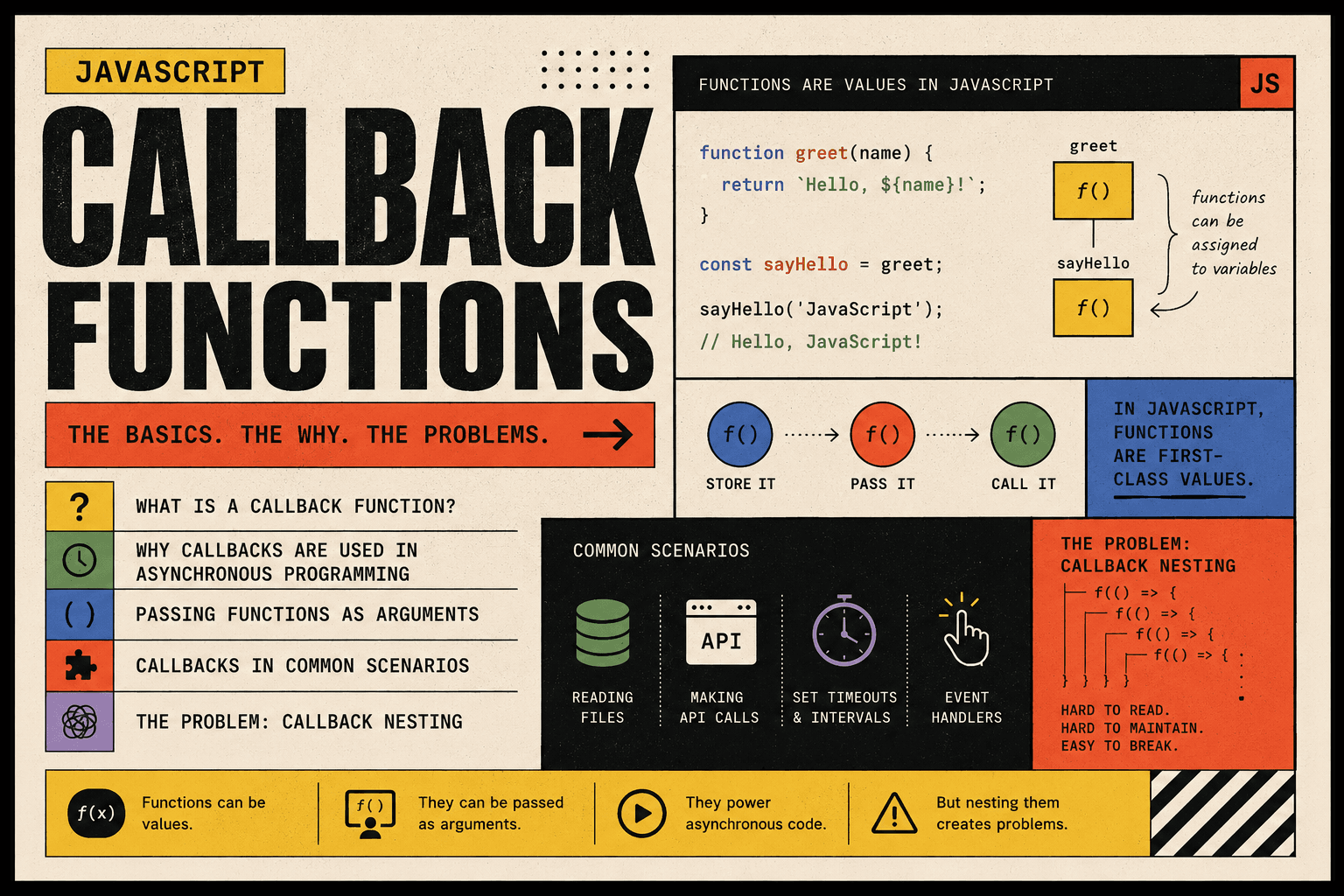
In JavaScript, functions are treated like any other value. This means they can be stored in variables, passed into other functions, and returned from functions. Because of this flexibility, functions can be moved around and used dynamically. This design is what makes callbacks possible.
When we say JavaScript functions are first class, we mean they behave like numbers, strings, or objects. You can assign them, store them, and send them as arguments.
const greet = function(name) {
  return "Hello, " + name;
};

console.log(greet("Alice"));
In this example, the function is assigned to a variable and later executed. This behavior is the foundation of callbacks.
2. What a Callback Function Is
A callback function is a function that is passed into another function and executed later. Instead of running immediately, it is stored and called when needed.
The idea is simple. One function performs some task. When that task is complete, it calls another function that was provided to it.
function sayHello(name) {
  console.log("Hello, " + name);
}

function processUserInput(callback) {
  const name = "John";
  callback(name);
}

processUserInput(sayHello);
Here, sayHello is passed as an argument. Inside processUserInput, it is executed using callback(name). The function being passed is the callback.
Callbacks allow one piece of code to decide what happens after another piece of code finishes its job.
3. Passing Functions as Arguments
Because functions are values, they can be passed into other functions as arguments. This makes behavior customizable. Instead of hardcoding what should happen inside a function, we allow another function to define that behavior.
A named function can be passed like this:
function displayMessage(message) {
  console.log(message);
}

function executeCallback(callback) {
  callback("This is a callback message.");
}

executeCallback(displayMessage);
A function can also be written directly inside the call. This is common when the function is used only once.
executeCallback(function(message) {
  console.log("Anonymous says: " + message);
});
Passing functions as arguments makes JavaScript flexible and reusable. It allows general-purpose functions to perform different actions depending on the callback provided.
4. Why Callbacks Are Used in Asynchronous Programming
JavaScript runs on a single thread. It can execute only one task at a time. Some operations take time to complete, such as fetching data from a server or waiting for user input. If JavaScript waited for these tasks to finish before continuing, the entire program would freeze.
To prevent blocking, JavaScript uses asynchronous behavior. It starts a task and moves on without waiting. When the task completes, a callback function is executed.
Consider this example:
console.log("Start");

setTimeout(function() {
  console.log("Middle");
}, 2000);

console.log("End");
The output will be:
Start
End
Middle
The setTimeout function schedules the callback to run after two seconds. JavaScript does not pause for two seconds. It continues executing the next line. When the timer finishes, the callback runs.
Callbacks are necessary here because JavaScript needs a way to know what to execute after the delayed task completes.
5. Callback Usage in Common Scenarios
Callbacks appear in many common JavaScript features. They are widely used because they allow behavior to be defined separately from execution.
| Scenario | Description | Example |
|---|---|---|
| Timers | Execute code after a delay | setTimeout(callback, delay) |
| Events | Run code when an event happens | addEventListener("click", callback) |
| Array Methods | Apply logic to each element | array.map(callback) |
Timer Example
setTimeout(function() {
  console.log("Executed after delay");
}, 1000);
Event Handling Example
document.getElementById("btn").addEventListener("click", function() {
  console.log("Button clicked");
});
Array Method Example
const numbers = [1, 2, 3, 4];

const doubled = numbers.map(function(num) {
  return num * 2;
});

console.log(doubled);
In each case, the callback defines what should happen after or during another operation.
6. Basic Problem of Callback Nesting
When multiple asynchronous operations depend on each other, callbacks may be placed inside other callbacks. This leads to deeply nested structures that are difficult to read.
setTimeout(function() {
  console.log("Step 1");

  setTimeout(function() {
    console.log("Step 2");

    setTimeout(function() {
      console.log("Step 3");
    }, 1000);

  }, 1000);

}, 1000);
This structure becomes harder to manage as more steps are added. The code shifts further to the right and becomes visually cluttered.
Conceptually, the problem is not just indentation. It becomes difficult to:
Understand the flow of execution
Handle errors consistently
Reuse logic
Maintain or modify the code
This issue is often called callback nesting or callback hell. Because of these limitations, modern JavaScript introduced Promises and async and await, which provide cleaner patterns for handling asynchronous operations.
7. Summary
Callbacks exist because JavaScript needs a way to execute code after another task completes, especially when dealing with asynchronous operations. Since functions are values, they can be passed around and executed later. This design allows programs to remain responsive and flexible.
Callbacks are fundamental to understanding JavaScript. They appear in timers, events, array methods, and asynchronous programming. While powerful, excessive nesting can reduce readability and maintainability, which led to newer solutions like Promises and async and await.




