

Understanding Object-Oriented Programming in JavaScript
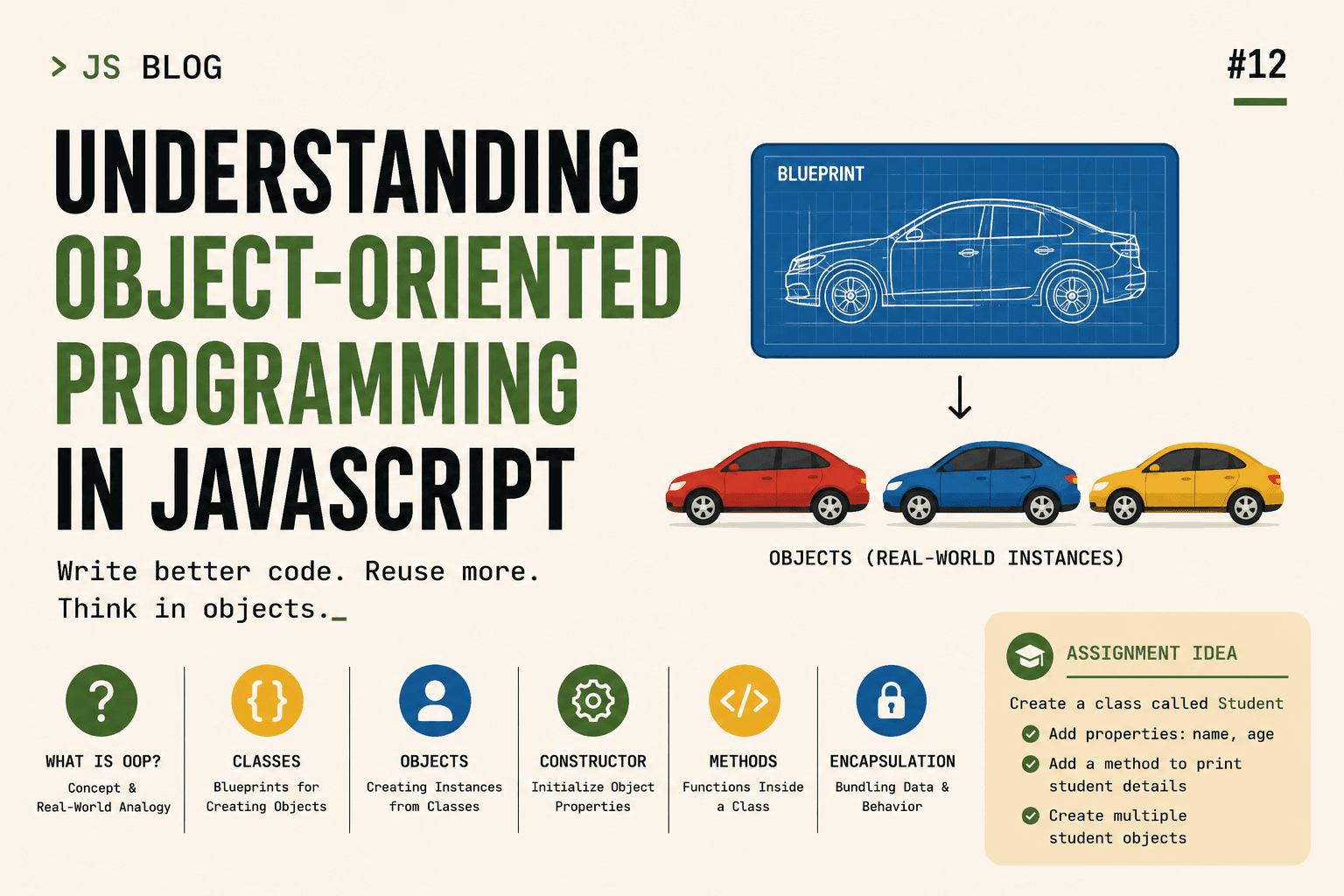
As programs grow larger, writing everything as separate variables and functions becomes difficult to manage. We need a way to organize related data and behavior together.
This is where Object-Oriented Programming (OOP) comes in.
OOP is a programming approach that structures code around objects, which combine:
Data (properties)
Behavior (methods)
Let us understand this step by step using simple and intuitive examples.
What Object-Oriented Programming Means
Object-Oriented Programming is a style of programming where we model real-world entities as objects in code.
Instead of thinking in terms of individual variables and functions, we think in terms of:
Things
Their properties
Their behaviors
For example:
A car has:
Brand
Color
Speed
And it can:
Start
Stop
Accelerate
In OOP, we combine properties and behaviors into one structure.
Real-World Analogy: Blueprint → Objects
Think about how cars are manufactured.
There is not just one car. There is a blueprint.
The blueprint defines:
What properties every car has
What actions every car can perform
From that blueprint, multiple cars are created.
Each car:
Has the same structure
Has different values
For example:
Car 1:
Brand: Toyota
Color: Red
Car 2:
Brand: BMW
Color: Black
Same blueprint. Different objects.
In JavaScript, the blueprint is called a class.
What Is a Class in JavaScript
A class is a template used to create objects.
It defines:
What properties objects will have
What methods they can use
Basic class syntax:
class ClassName {
  constructor(parameters) {
    // initialize properties
  }

  methodName() {
    // method logic
  }
}
Let us build something practical.
Creating a Simple Class: Car
class Car {
  constructor(brand, color) {
    this.brand = brand;
    this.color = color;
  }

  start() {
    console.log(this.brand + " is starting.");
  }
}
Let us understand this carefully.
The Constructor Method
The constructor is a special method that runs automatically when we create a new object from the class.
It is used to initialize properties.
In this example:
constructor(brand, color) {
  this.brand = brand;
  this.color = color;
}
What is happening?
brandandcolorare inputs.this.brandandthis.colorare properties of the object being created.thisrefers to the specific object instance.
Each object gets its own copy of these properties.
Creating Objects from the Class
To create an object from a class, we use the new keyword.
const car1 = new Car("Toyota", "Red");
const car2 = new Car("BMW", "Black");
Step by step:
new Car("Toyota", "Red")creates a new object.The constructor runs.
this.brandbecomes "Toyota".this.colorbecomes "Red".
Now:
console.log(car1.brand); // Toyota
console.log(car2.color); // Black
Each object has its own values.
Methods Inside a Class
Methods define behaviors.
In our example:
start() {
  console.log(this.brand + " is starting.");
}
This method:
Belongs to the class
Can be used by all objects created from the class
Using it:
car1.start(); // Toyota is starting.
car2.start(); // BMW is starting.
Notice something important:
The same method works for different objects because this refers to the object that calls it.
This promotes code reusability.
Another Example: Person Class
Let us make a simple Person class.
class Person {
  constructor(name, age) {
    this.name = name;
    this.age = age;
  }

  greet() {
    console.log("Hi, my name is " + this.name);
  }
}
Creating objects:
const person1 = new Person("Alice", 25);
const person2 = new Person("Bob", 30);

person1.greet();
person2.greet();
Each object:
Has its own
nameandageShares the same
greetmethod
Instead of writing separate functions for each person, we reuse the same class.
Building a Student Class Example
Now let us model something realistic.
We want:
A student to have a name
A student to have an age
A student to print their details
class Student {
  constructor(name, age) {
    this.name = name;
    this.age = age;
  }

  printDetails() {
    console.log("Student Name: " + this.name);
    console.log("Student Age: " + this.age);
  }
}
Creating multiple student objects:
const student1 = new Student("John", 20);
const student2 = new Student("Emma", 22);

student1.printDetails();
student2.printDetails();
Each student:
Has independent data
Uses the same method
This demonstrates the power of OOP.
Understanding Encapsulation (Basic Idea)
Encapsulation means keeping related data and behavior together inside a class.
Instead of:
let name = "John";
let age = 20;

function printDetails() {
  console.log(name, age);
}
We bundle everything inside one structure:
class Student {
  constructor(name, age) {
    this.name = name;
    this.age = age;
  }

  printDetails() {
    console.log(this.name, this.age);
  }
}
This makes the code:
More organized
Easier to maintain
Easier to extend
Encapsulation helps prevent scattered logic across files.
Why OOP Improves Code Reusability
Imagine you need 100 students.
Without OOP:
You would create 100 separate objects manually.
You might duplicate logic.
With OOP:
You define the structure once.
You create as many objects as needed.
const students = [
  new Student("A", 18),
  new Student("B", 19),
  new Student("C", 20)
];
The structure remains consistent.
If you later update printDetails(), all students automatically use the updated version.
That is code reusability in action.
Key Takeaways
Object-Oriented Programming in JavaScript allows you to:
Model real-world entities
Create reusable blueprints (classes)
Generate multiple structured objects
Combine data and behavior in one place
Write cleaner and more maintainable code
A class acts as a blueprint.
Objects are instances created from that blueprint.
The constructor initializes properties.
Methods define behavior.
Encapsulation keeps everything organized.
Conclusion
Object-Oriented Programming helps structure JavaScript code in a logical and reusable way. By using classes, constructors, and methods, we can create blueprints for objects and generate multiple instances with consistent structure and behavior.
Using simple models like Car, Person, and Student makes it clear how OOP mirrors real-world systems. As applications grow, OOP becomes increasingly important for organizing logic, promoting reusability, and maintaining clean code.
Mastering these basics lays the foundation for more advanced OOP concepts in JavaScript.




